Which Devices Support Spotify? Full Compatibility Guide (2026)
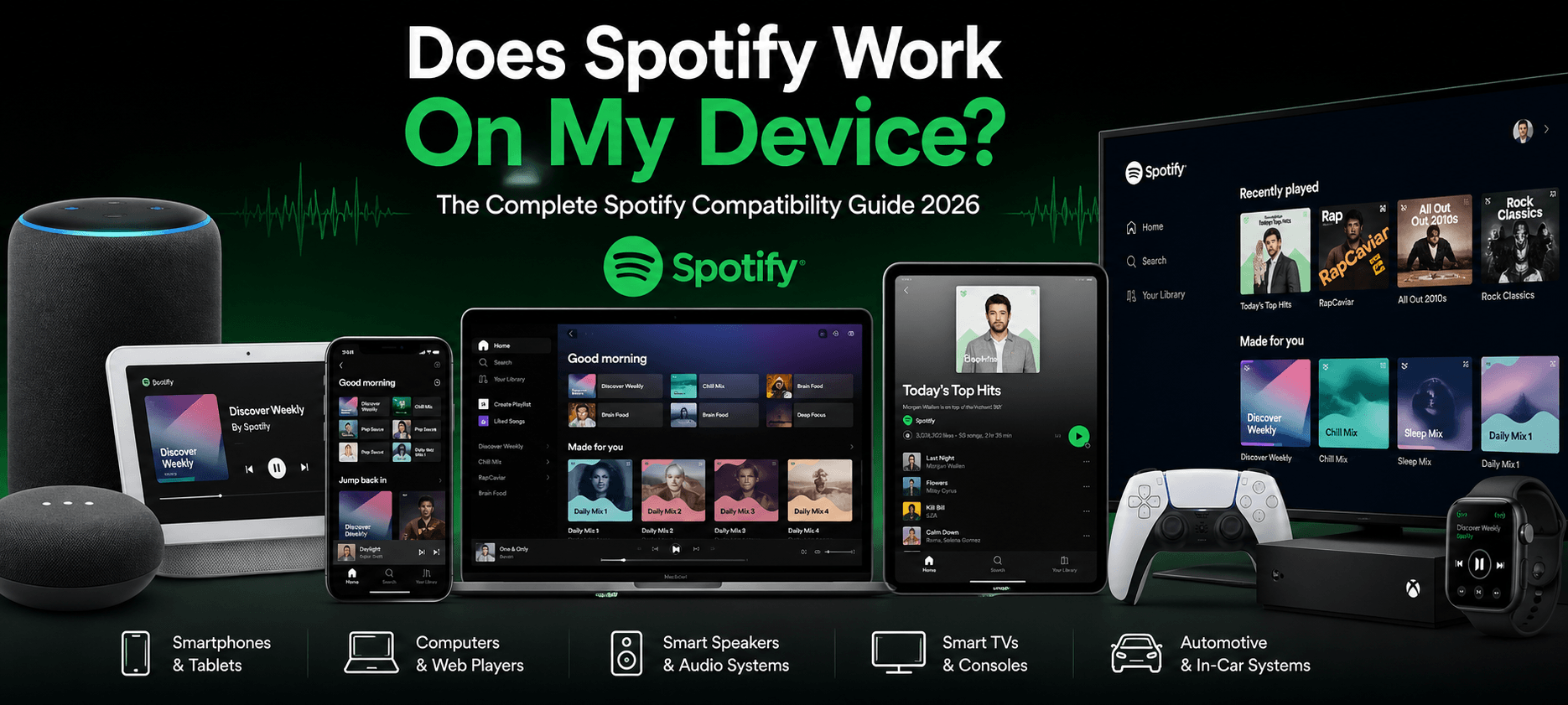
Which devices support Spotify? If you have ever asked this question, the answer will pleasantly surprise you. With over 600 million active users worldwide, Spotify runs on almost every device imaginable, from your iPhone, Android phone, and laptop to your smart TV, gaming console, car dashboard, and wristwatch. This complete Spotify compatibility guide covers every Spotify-supported device in 2026, the minimum requirements for each, and exactly how to get Spotify running wherever you want to listen.
Spotify has one of the broadest device compatibility ecosystems of any app on the planet, running on everything from your phone and laptop to your car dashboard, smart TV, gaming console, and wristwatch. This complete Spotify compatibility guide covers every Spotify-supported device category, the minimum requirements for each, and exactly how to get Spotify running wherever you want to listen.
Spotify reaches your devices through four main methods: the native Spotify app, the Spotify web player, Spotify Connect for wireless streaming between devices, and third-party integrations via Bluetooth, AirPlay, and Chromecast. Understanding which method applies to your setup makes troubleshooting much easier.
Devices Support Spotify
Spotify works across seven major device categories in 2026: Each category has its own app, minimum requirements, and setup method. Here is the complete breakdown.
Mobile and Tablets — The Primary Access Point
The vast majority of Spotify’s 600 million users access the platform through a smartphone or tablet. Mobile is where Spotify’s experience is most polished, and it is where the platform’s features, from Discover Weekly to Spotify DJ, are fully realized.
Spotify on iPhone and iPad (iOS)
Spotify fully supports all iPhone, iPad, and iPod Touch devices running iOS 16.1 or later. This covers iPhone 8 and all newer models, as well as iPad models from 2018 onwards. The Spotify app for iOS is available as a free download from the Apple App Store. Premium users get offline downloads, full on-demand playback, and access to Apple CarPlay integration.
One thing to note: Spotify on iOS is limited by Apple’s app store policies, which means some features roll out slightly later on iPhone compared to Android. But the core music streaming experience is identical across both platforms.
Spotify on Android Phones and Tablets
Spotify supports Android devices running Android 7.0 (Nougat) or later. This covers an enormous range of devices, including Samsung Galaxy (S series, A series, Note series), Google Pixel, OnePlus, Huawei, and Xiaomi smartphones and tablets. The app is available for free from the Google Play Store.
Android users generally get Spotify features and updates slightly earlier than iOS users. If you are on Android, you also get tighter Android Auto integration and more flexibility with Spotify’s widget and lock screen controls.
Spotify on Amazon Fire Tablets
The Amazon Kindle Fire tablet series is supported, but the setup is slightly different. Amazon Fire devices run Fire OS 7+, which is based on Android but does not include the Google Play Store. You need to download the Spotify app directly from the Amazon Appstore. All Fire tablets from 2019 onwards are supported. Note that offline downloads require a Premium account, and some Amazon-specific integrations may vary.
Multi-Device Limits and Tips
You can install Spotify on as many devices as you like, but on the Individual plan, you can stream on only one device at a time. Switching devices is instant; just press play on a new device, and it automatically stops on the previous one. Premium Family and Duo plans allow simultaneous streaming across multiple accounts.
Computers and Web Players — Desktop Listening
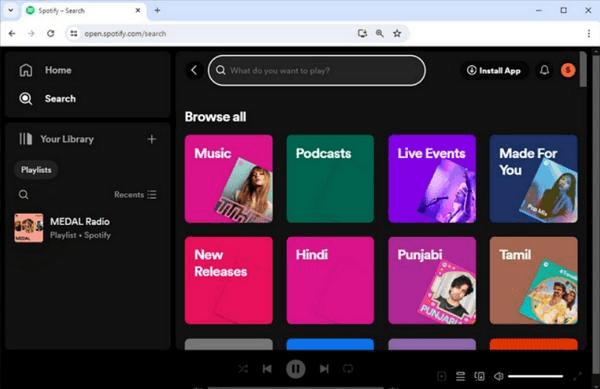
Desktop and laptop computers offer one of the most feature-rich Spotify experiences, especially for Premium subscribers who want higher audio quality and full library control.
Spotify on Windows
The Spotify desktop app for Windows requires Windows 10 or Windows 11 (64-bit). It is available as a direct download from spotify.com/download or from the Microsoft Store. Windows users get full on-demand playback, offline downloads, and the highest available audio quality settings. The desktop app also supports Spotify Connect, so you can use your Windows PC as a controller to push music to speakers and TVs around your home.
Spotify on Mac
The Spotify app for macOS requires macOS 12.0 (Monterey) or later. It is available from the Mac App Store or directly from spotify.com. Mac users get the same full feature set as Windows, including offline listening, high-quality audio, and AirPlay support to stream Spotify from your Mac to Apple TV or AirPlay-compatible speakers.
Spotify on Linux
Spotify officially supports Linux distributions, primarily Ubuntu and Debian-based systems. You can install it via the Snap store, Flatpak, or the official Spotify Linux repository. While the Linux app does not always receive updates as quickly as Windows and Mac, it is fully functional for everyday music streaming and supports offline downloads for Premium users.
Spotify Web Player — No Download Needed
The Spotify web player at open.spotify.com works in any modern browser, including Google Chrome, Mozilla Firefox, Microsoft Edge, and Safari. This makes it the ideal solution for Chromebooks, shared computers, or any device where you cannot or do not want to install an app. The web player supports full on-demand playback and most core features, though offline listening is not available through the browser.
For Chromebook users, the web player is the primary recommended method. While Android apps technically run on some Chromebooks, the web player is more reliable and consistent across all Chrome OS versions.
Smart Speakers and Audio Systems — Home Listening
Smart speakers are where Spotify Connect truly shines. Instead of streaming from your phone’s speaker, Spotify Connect lets your phone act as a remote control while the music actually plays through a dedicated speaker, no Bluetooth required, no battery drain on your phone.
Amazon Alexa Devices
Spotify works on the full range of Amazon Echo smart speakers, including the Echo Dot, Echo, Echo Spot, Echo Show, Echo Tap, and Fire TV Cube. You can control Spotify using voice commands through Alexa, just say “Alexa, play [artist] on Spotify” and it begins instantly. You can also set Spotify as your default music service in the Alexa app, which means any generic music request automatically plays through Spotify.
To set it up, link your Spotify account in the Alexa app under Settings > Music & Podcasts > Spotify. Both free and Premium accounts work, though Premium gives you better playback control via voice.
Google Nest and Google Home Devices
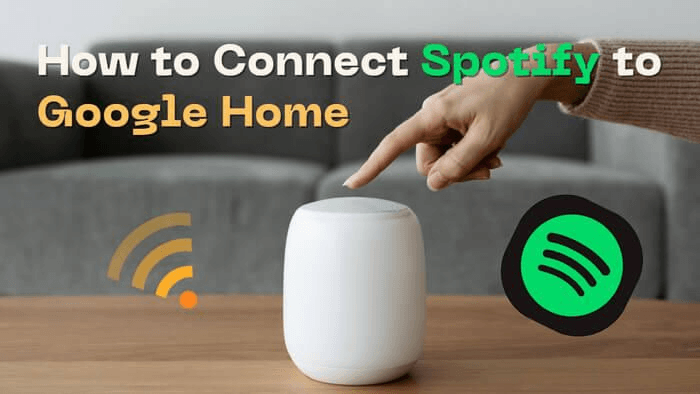
Spotify integrates fully with Google Nest Mini, Nest Audio, Google Home, and the full range of Google Assistant smart speakers. Link your Spotify account in the Google Home app and then use voice commands like “Hey Google, play my Discover Weekly on Spotify”. Google Nest devices also support Spotify Connect, so you can target them directly from the Spotify app on your phone.
Sonos Speakers
Spotify has one of its deepest integrations with Sonos. All Sonos speakers and soundbars support Spotify natively, and the Sonos app has a built-in Spotify browser. You can use Spotify Connect to stream directly from Spotify to any Sonos device, or control playback through the Sonos app itself. Sonos is also multi-room capable, so you can sync Spotify playback across multiple rooms simultaneously.
Other Compatible Smart Speakers and Audio Systems
Beyond the big three, Spotify Connect is supported by a wide range of premium audio brands in 2026:
If a speaker or audio system is listed as Spotify Connect certified, you will find it in the Spotify app’s device picker when you tap the Connect icon during playback.
Smart TVs and Gaming Consoles — The Living Room
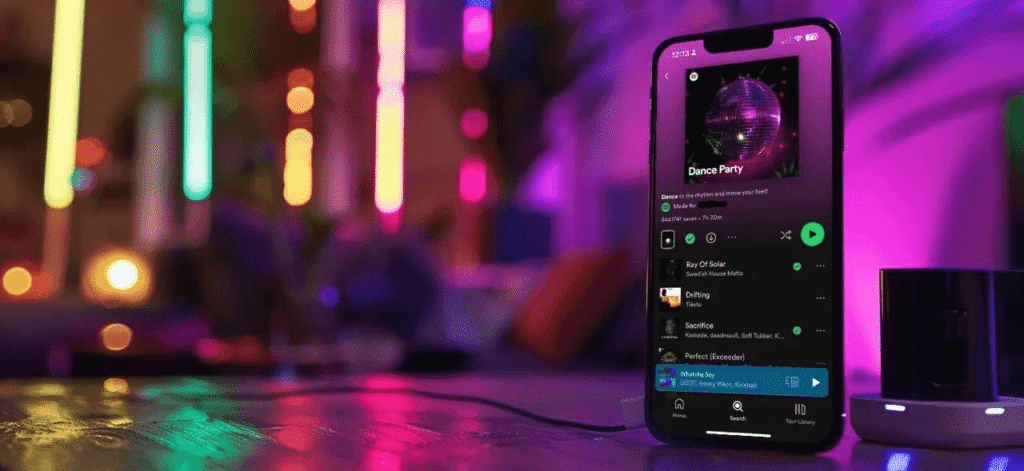
Spotify on your TV transforms the listening experience, especially for parties, background music during gatherings, or high-quality playback through a proper home audio setup.
Smart TVs
Spotify has native app support across all the major smart TV platforms in 2026:
All smart TV versions of Spotify support Spotify Connect, meaning you can control playback from your phone while the audio plays through your TV and home theater system.
Gaming Consoles
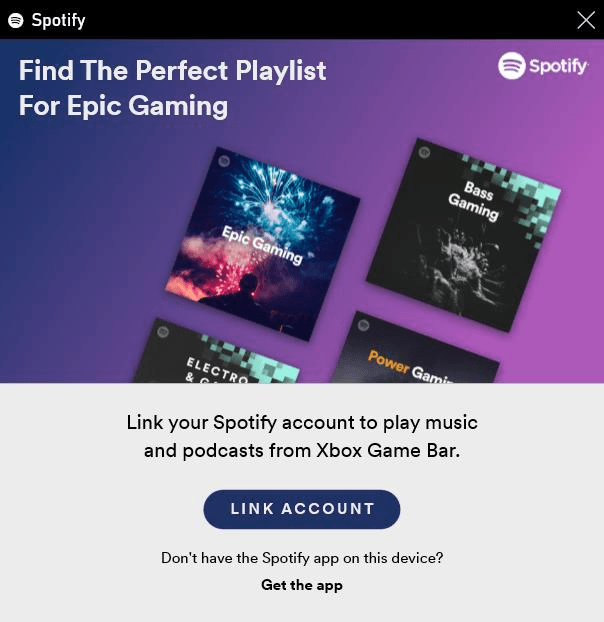
Both major gaming platforms support Spotify with excellent controller integration:
Both consoles support Spotify Connect, so you can use your phone to control what plays through your console’s speakers or connected audio system.
Wearables — Spotify on Your Wrist
Smartwatches have become a genuinely useful way to control Spotify, especially when you are at the gym, running, or commuting and do not want to pull out your phone for every skip.
Apple Watch
Spotify on Apple Watch requires watchOS 6 or later and a paired iPhone running iOS 16.1+. The Apple Watch app gives you playback controls, volume adjustment, and the ability to browse your Liked Songs, playlists, and podcasts directly from your wrist. Premium users can download playlists directly to Apple Watch for offline listening without needing their iPhone nearby, ideal for runs or workouts.
Wear OS Watches
Spotify supports Wear OS version 2.2 and later, which covers a wide range of Android-compatible smartwatches, including Samsung Galaxy Watch (4 and later), Google Pixel Watch, Fossil, and others. Your phone needs to run Android 9 or later. Like the Apple Watch, Wear OS users get full playback controls, and Premium subscribers can download music for offline listening on the watch itself.
Garmin GPS Watches
Spotify has a dedicated app for Garmin GPS watches, available through the Garmin Connect IQ store. It supports music controls and, on Premium, offline downloads directly to the watch. Compatible models include the Garmin Forerunner, Fenix, Venu, and other Wi-Fi-enabled Garmin devices. This makes Garmin watches popular among runners who want to leave their phone at home entirely.
Fitbit
Selected Fitbit models, including the Fitbit Versa and Fitbit Ionic, support Spotify playback controls via the Fitbit app. Note that full functionality may vary, and Fitbit’s Spotify integration is more limited than Apple Watch or Wear OS.
Automotive and In-Car Systems — Drive Mode
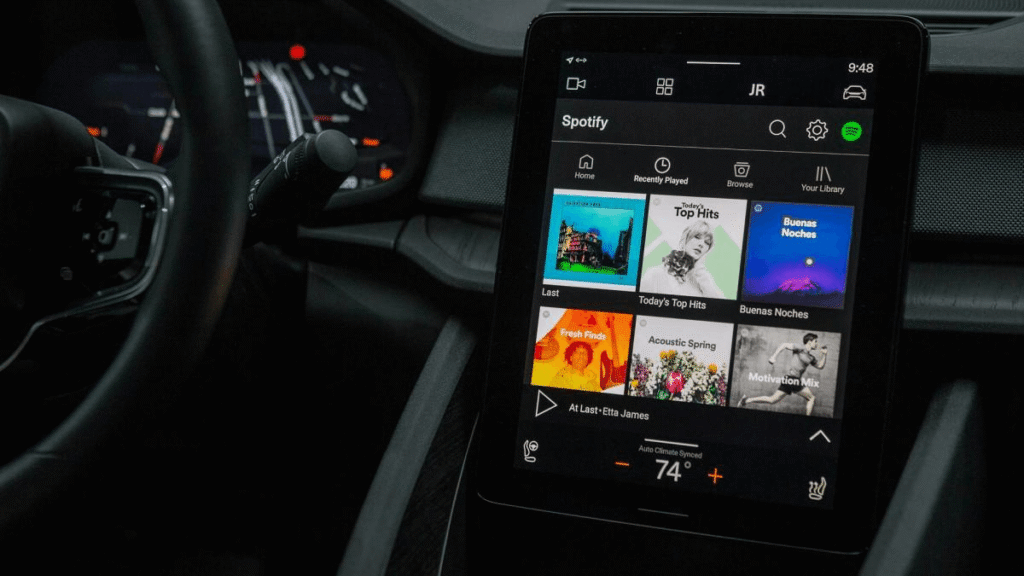
Spotify in the car has become one of the platform’s most important use cases, and in 2026, the in-car experience is better than ever across multiple integration methods.
Apple CarPlay
If your car supports Apple CarPlay, Spotify works seamlessly through it. Connect your iPhone via USB or wirelessly (on supported systems), and Spotify appears on your car’s touchscreen. You get full playback control, album art, and access to your playlists — all from the car’s interface. You can also control Spotify via Siri voice commands through CarPlay, keeping your hands on the wheel. Requires iOS 16.1+.
Android Auto
Spotify is fully integrated with Android Auto, available on any Android phone running Android 9 or later. Connect your phone to your car via USB or wirelessly, and Spotify’s simplified interface appears on your car screen. Voice control works through Google Assistant, say “Hey Google, play my Release Radar on Spotify” while driving. Android Auto’s large-button interface is optimized for in-car use and minimizes distraction.
Native Car Integrations
Many car manufacturers now build Spotify connectivity directly into their infotainment systems, without needing CarPlay or Android Auto. Volvo, BMW, Mini, Ford, Mazda, Mercedes-Benz, and others have partnered with Spotify for native integration. This means you can log into Spotify directly on the car’s screen and control it independently of your phone. These systems typically use Spotify Connect under the hood, so your phone’s Spotify app can still act as a remote control if you prefer.
For safety, Spotify’s Car Mode (accessible in app settings) simplifies the interface to large buttons suitable for glances while driving, reducing the temptation to interact with your phone while in motion.
Minimum Requirements and Compatibility Matrix
Here is the complete quick-reference Spotify device compatibility table covering every major device category, minimum OS requirements, app availability, offline support, and Spotify Connect compatibility.
| Device | Min. Requirement | App Available | Offline | Spotify Connect |
|---|---|---|---|---|
| iPhone / iPad | iOS 16.1+ | ✓ Yes | ✓ Yes | ✓ Premium |
| Android Phone/Tablet | Android 7.0+ | ✓ Yes | ✓ Yes | ✓ Premium |
| Amazon Fire Tablet | Fire OS 7+ | ✓ Yes | ✗ No | ✓ Premium |
| Windows PC | Windows 10/11 (64-bit) | ✓ Yes | ✓ Yes | ✓ Premium |
| Mac | macOS 12.0+ | ✓ Yes | ✓ Yes | ✓ Premium |
| Linux | Ubuntu/Debian | ✓ Yes | ✓ Yes | ✓ Premium |
| Chromebook | Chrome OS | Web only | ✗ No | ✓ Premium |
| Samsung Smart TV | Tizen 2.3+ | ✓ Yes | ✗ No | Via Connect |
| LG Smart TV | WebOS | ✓ Yes | ✗ No | Via Connect |
| Android TV / Google TV | Android TV | ✓ Yes | ✗ No | Via Connect |
| Amazon Fire TV | Fire OS | ✓ Yes | ✗ No | Via Connect |
| Roku | Roku OS | ✓ Yes | ✗ No | Via Connect |
| PlayStation 4 / 5 | System software | ✓ Yes | ✗ No | Via Connect |
| Xbox One / Series X|S | Xbox OS | ✓ Yes | ✗ No | Via Connect |
| Apple Watch | watchOS 6+ | ✓ Yes | ✓ Premium | Limited UI |
| Wear OS Watch | Wear OS 2.2+ | ✓ Yes | ✓ Premium | Limited UI |
| Garmin Watch | Garmin OS | ✓ Yes | ✓ Premium | Controls only |
| Amazon Echo / Alexa | Alexa OS | Via Alexa | ✗ No | Via Connect |
| Google Nest / Home | Google OS | Via Google | ✗ No | Via Connect |
| Sonos | Sonos OS | Via Connect | ✗ No | Via Connect |
| Apple CarPlay | iOS 16.1+ | ✓ Yes | ✗ No | Via Phone |
| Android Auto | Android 9+ | ✓ Yes | ✗ No | Via Phone |
Unsupported and Legacy Devices
While Spotify’s compatibility is broad, some older devices are no longer supported in 2026:
If your device is no longer supported by the native app, the Spotify web player at open.spotify.com is often a reliable alternative that works in any modern browser, regardless of the underlying operating system.
Common Issues and Troubleshooting Tips
Even on fully supported devices, you might occasionally run into issues. Here are the most common problems and their solutions.
Bluetooth Pairing Problems
If Spotify is not connecting to a Bluetooth speaker or headphones, the first step is to make sure the device is in pairing mode, and your phone’s Bluetooth is enabled. Try forgetting the device in your Bluetooth settings and re-pairing from scratch. Make sure your Spotify app is fully up to date — outdated app versions are a common cause of Bluetooth audio issues. If using Spotify Connect rather than Bluetooth, ensure both your phone and the speaker are on the same WiFi network.
App Not Updating or Loading
If the Spotify app is not loading correctly, try clearing the app cache (on Android: Settings > Apps > Spotify > Clear Cache). On iPhone, offload and reinstall the app. Always make sure you are running the latest version of Spotify — check the App Store or Google Play for updates. Spotify rolls out feature updates frequently, and older versions can become unstable.
Region Locks and Unavailable Content
Some content on Spotify is region-locked due to licensing agreements. If you travel internationally and notice certain songs or podcasts are unavailable, this is a licensing restriction, not a device issue. Changing your account country in the Spotify settings usually resolves availability issues if you have permanently moved to a new region.
Spotify Connect Not Showing Devices
If your Spotify Connect devices are not appearing in the device picker, make sure all devices are on the same WiFi network. Smart speakers, TVs, and consoles must be on the same network as your phone or computer running the Spotify app. Restarting your router and the target device usually resolves this. Also, check that the target device’s Spotify app is open and logged into the same account.
Final Thoughts — Spotify Works Almost Everywhere
With 95% device coverage across phones, tablets, computers, smart TVs, consoles, wearables, smart speakers, and cars ,Spotify works wherever you do. If your device is too old for the app, the Spotify web player at open.spotify.com is always a reliable fallback. And if you are on Premium, never forget to use offline downloads , they make all the difference when your signal drops.
Which cars have built-in Spotify?
In 2026, Volvo, BMW, Mini, Ford, Mazda, Mercedes-Benz, and several other manufacturers will offer native Spotify integration in their infotainment systems. Beyond native integration, virtually any car with a screen supports Apple CarPlay or Android Auto, both of which run Spotify seamlessly.
Is Spotify available on all gaming consoles?
Spotify is available on PlayStation 4, PlayStation 5, Xbox One, Xbox Series X, and Xbox Series S. It is not available on Nintendo Switch. On PS and Xbox, you can listen while playing games and control Spotify from the quick menu without interrupting gameplay
Does Spotify work on an Apple Watch without an iPhone?
With Spotify Premium, you can download playlists directly to your Apple Watch and listen using Bluetooth headphones connected to the watch, without your iPhone nearby. This requires watchOS 7+ and a WiFi or cellular Apple Watch model.
Does Spotify work on Roku?
Yes. Spotify is available on Roku as a channel download from the Roku Channel Store. It works on all current Roku streaming sticks, boxes, and Roku TV models. You can control playback via the Roku remote or use Spotify Connect to control it from your phone.