CapCut Free vs Pro: What Is the Difference in 2026?
Trying to figure out the difference between CapCut Free vs Pro? Here is the short answer: CapCut Free is genuinely powerful, and most creators never need to pay. CapCut Pro unlocks 4K export, unlimited AI tools, and a full commercial license, but only makes sense if you create content regularly or earn money from video.
This guide covers exactly what each plan includes, what it actually costs in 2026, and which one is right for you.
What Is CapCut?
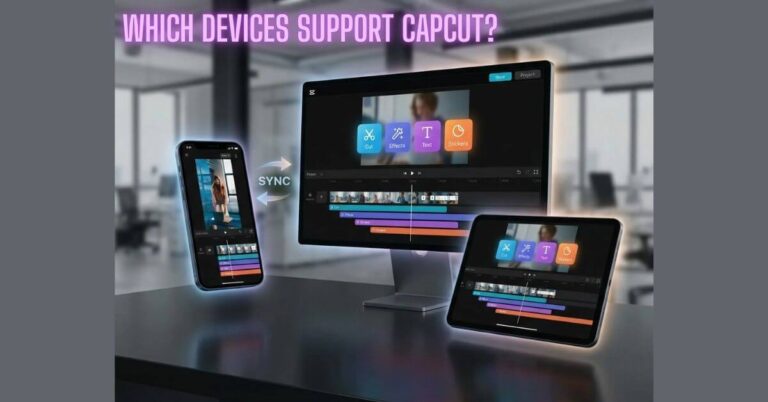
CapCut is a video editing app developed by ByteDance, the parent company of TikTok. Launched in 2020, it now has over 800 million monthly active users and runs on iOS, Android, Windows, Mac, and web browsers.
It became the most downloaded mobile video editor in the world because of its TikTok-native templates, one-tap beat sync, and a genuinely capable free tier. In 2025–2026, ByteDance began moving more features behind a paywall, which is why so many users are now confused about which plan they actually need.
CapCut currently offers three plans: Free, Standard, and Pro.
If you have never used CapCut before and want to understand the basics first, our Complete CapCut Beginner Guide 2026 covers everything you need to know before choosing a plan.
CapCut Free vs Standard vs Pro — Full Comparison
| Feature | Free | Standard | 1080p (720p in some regions) |
|---|---|---|---|
| Price | $0 | ~$9.99/mo | $9.99–$19.99/mo |
| Watermark | On some exports | Removed | Fully removed |
| Export Resolution | 1080p (720p some regions) | 1080p | 4K / 60fps |
| AI Auto-Edit | 5 uses/month | Partial | Unlimited |
| Auto Captions | 10 min/video | Limited | Unlimited |
| Background Removal | ❌ | Partial | ✅ Unlimited |
| Motion Tracking | ❌ | ❌ | ✅ |
| Cloud Storage | ❌ | Limited | 100GB+ |
| Commercial License | Limited | Partial | Full |
| Brand Kit | ❌ | ❌ | ✅ |
| Premium Templates | Limited | Expanded | Full library |
| Priority Export | ❌ | ❌ | ✅ |
| Free Trial | — | — | 3–7 days |
What You Actually Get With CapCut Free
Most reviews understate how good the free plan is. CapCut Free is not a limited demo; it is a complete multi-track video editor that outperforms every competitor’s free tier.
Fully free with zero restrictions:
No locked layers. No “upgrade to unlock” pop-ups inside the editing timeline.
The single biggest advantage over every competitor: Standard exports from CapCut Free carry no watermark. Filmora, InShot, and Canva all stamp their branding on free exports. CapCut does not. Your videos look completely clean, just at 1080p resolution instead of 4K.
This one fact makes CapCut Free the strongest free video editor available today.
AI tools included on the free plan — with monthly limits:
For 1–2 videos per week, these limits are manageable. For daily publishing, they quickly become a bottleneck.
What the free plan lost since 2024:
If you used CapCut Free before 2025 and noticed it felt more limited, you are not imagining it. ByteDance progressively paywalled features to push users toward paid plans.
If you want to keep your exports watermark-free on the free plan, our guide on How to Remove CapCut Watermark Legally explains every legitimate option available.
What CapCut Pro Actually Unlocks
4K and 60fps Export
Pro unlocks 4K (2160p) export at up to 60fps. But whether you need it depends on where you publish.
TikTok, Instagram Reels, and YouTube Shorts all cap playback at 1080p 4K, making no visible difference there. It matters for YouTube long-form and client deliverables where brands require 4K master files.
If you only post short-form content, 4K is not a reason to upgrade. For full export settings, see → [How to Export 4K Video in CapCut Without Watermark].
Unlimited AI Tools
This is the real reason most creators upgrade. Pro removes all monthly AI caps:
Important: Generative features inside Magic Studio run on a separate AI Credits system, limited even on Pro. Heavy users may need to buy extra credits before the billing cycle ends.
For a full captions walkthrough, see → [How to Use CapCut Auto Captions Feature].
Commercial License
One thing to watch: some music tracks in CapCut’s library are labeled “personal use only” even on Pro. Always check the track license before using music in a paid campaign.
If you create videos for paying clients, this license alone justifies Pro.
Brand Kit, Cloud Storage, and Priority Export
For background removal with branded templates, see → [How to Remove Background in CapCut on Mobile and PC].
CapCut Standard — The Plan Most People Should Skip
Standard sits between Free and Pro. It is built for mobile creators who want one thing: watermark-free 1080p exports. It also expands access to templates, text styles, and transitions.
What Standard does not include: 4K export, motion tracking, the full AI suite, 100GB cloud storage, or Brand Kit.
It is available on monthly billing only, with no annual discount option.
Here is the problem: Standard costs approximately $9.99/month, while Pro on annual billing costs $7.99–$9.99/month equivalent, depending on your region. For a similar monthly spend, Pro gives you 4K export, unlimited AI, cloud storage, Brand Kit, and a full commercial license.
Standard makes sense only for mobile creators who exclusively want clean 1080p exports and have zero interest in AI tools, 4K, or desktop editing. For most people, Pro on annual billing is the better value at nearly the same price.
CapCut Pro Pricing — What You Will Actually Pay in 2026
Official Pricing
| Plan | Monthly | Annual |
|---|---|---|
| Standard | ~$9.99/mo | Not available |
| Pro | $9.99–$19.99/mo | ~$7.99–$15/mo (save ~20%) |
Free trial: 3-7 days for new users. Always verify your local price at capcut.com — regional rates vary significantly.
The App Store Price Trap
Apple and Google charge CapCut a 15–30% platform commission, and CapCut passes it to you. The same Pro plan that costs $9.99/month on capcut.com can cost $13.99–$22.99/month through the iOS App Store or Google Play.
Always subscribe to capcut.com on a browser. Log in to the app after every Pro feature works identically. Users have reported saving $5–$12/month just by switching to the website.
Regional Pricing and Price History
CapCut uses local pricing. Pakistan, India, Southeast Asia, and Brazil pay significantly less than the US, UK, and Western Europe. Always check capcut.com from your own location.
Worth knowing: CapCut Pro was $9.99/month in the US in 2024. By January 2026, it doubled to $19.99/month. Features that were free in 2024, background removal, stabilization, and auto-captions, are now paywalled. Factor this in before committing to annual billing.
What Happens If You Cancel Pro?
Before cancelling: Export every 4K project you need. You cannot re-export at 4K after downgrading without resubscribing.
Which Plan Is Right for You?
| You are… | Best Plan |
|---|---|
| Casual creator, 1–2 videos/week, TikTok or Reels | Free 1080p is enough, AI limits are manageable |
| Daily creator or full-time influencer | Pro unlimited AI saves 4+ hours/month |
| Freelancer or agency (client work) | Pro commercial license is legally required |
| Small business or brand team | Pro Brand Kit + commercial license are essential |
| Student creator | Free first upgrade with 50% student discount (.edu email) |
One rule: if you create 3+ videos per week or earn money from content, upgrade to Pro. Otherwise, Free is genuinely enough.
Is CapCut Pro Worth the Money?
Yes, if you create regularly or earn from video. At $9.99/month via capcut.com, it is 5x cheaper than Adobe Premiere Pro ($54.99/month) and covers the full short-form workflow.
The math is simple: AI Auto-Edit saves roughly 15 minutes per video. At 4 videos per week, that is 4 hours saved per month. For any creator earning from content, Pro pays for itself in the first week.
No, if you are a casual creator. The free plan is excellent. Do not upgrade just because it feels like you should.
One warning before you subscribe: CapCut has documented billing complaints, unexpected charges, and sudden price increases without notice. Always subscribe via capcut.com (not the app store), set a reminder before your trial ends, and save your subscription confirmation. For disputes, contact capcut.support@bytedance.com.
How to Pay Less for CapCut Pro
One warning: Third-party “cheap Pro” APK files and unofficial subscription-sharing platforms carry real risk. Modified CapCut APKs have been documented to contain malware and result in permanent account bans. Only use capcut.com or the official iOS and Android app stores.
Final Word
CapCut Free is the best free video editor in 2026, with clean exports, full editing tools, and enough AI for casual use. Most creators do not need to go beyond this.
CapCut Standard has one job: watermark-free 1080p exports on mobile. If that is all you need, it works. But for most people, Pro on annual billing offers far more at nearly the same price.
CapCut Pro is worth it if you create regularly, earn money from videos, or deliver work to clients. Please subscribe via capcut.com, use the free trial, and select annual billing for the best deal.
Frequently Asked Questions
Does CapCut Free add a watermark to videos?
Not to standard exports. Only premium templates and certain AI-generated content display a watermark on the free plan. Regular edits export completely clean.
Can you export 4K video on CapCut Free?
No. Both Free and Standard are capped at 1080p. 4K export is exclusive to the Pro plan.
What is the difference between CapCut Standard and Pro?
Standard removes watermarks and expands mobile templates all at 1080p. Pro adds 4K export, unlimited AI tools, 100GB cloud storage, a full commercial license, and Brand Kit. The annual price difference is minimal, and Pro offers dramatically more value.
Is CapCut Pro worth it for beginners?
No. The free plan covers everything a beginner needs. Upgrade when you are publishing regularly, hitting AI limits, or starting to earn from your content.
What happens to my projects if I cancel CapCut Pro?
Exported videos are permanently yours. Active projects lose 4K export capability. Cloud files beyond the free limit become read-only. Premium template elements in open projects get locked.