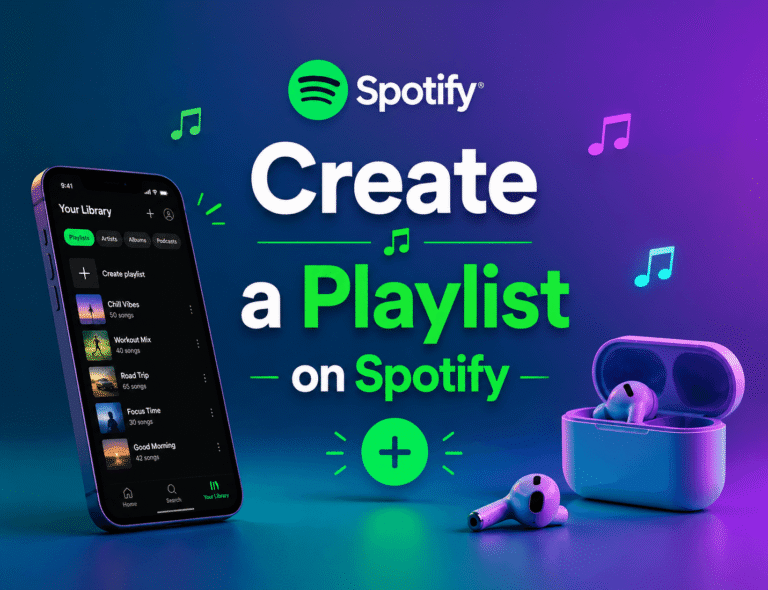
How to Use Spotify Blend — Shared Playlist With Friends
Ever wished you could combine your music taste with your best friend, partner, or travel buddy and instantly create a playlist both of you actually enjoy? That’s exactly what Spotify Blend is designed to do. Instead of manually building playlists together, Blend automatically mixes your listening habits with another person’s music taste to create a personalized shared playlist.
Spotify introduced Blend as part of its social music discovery features, alongside recommendations like Daily Mix and Discover Weekly. What makes Blend different is that it’s both collaborative and algorithm-driven. The playlist updates daily, adapts to your listening behavior, and continuously recommends songs that both users may enjoy together.
Whether you want to discover new artists, create a road-trip playlist, build a shared workout mix, or compare music compatibility with friends, Spotify Blend makes the process fast and automatic.
In this guide, you’ll learn how to use Spotify Blend playlist, invite friends, accept Blend invites, find your Blend later, understand playlist limits, fix common Blend problems, and improve recommendations over time.
What Is Spotify Blend?
Spotify Blend is a shared playlist feature that combines the music preferences of two or more users into a single automatically generated playlist. Instead of manually adding tracks like a collaborative playlist, Spotify’s recommendation algorithm analyzes everyone’s listening activity and builds a playlist using combined taste data.
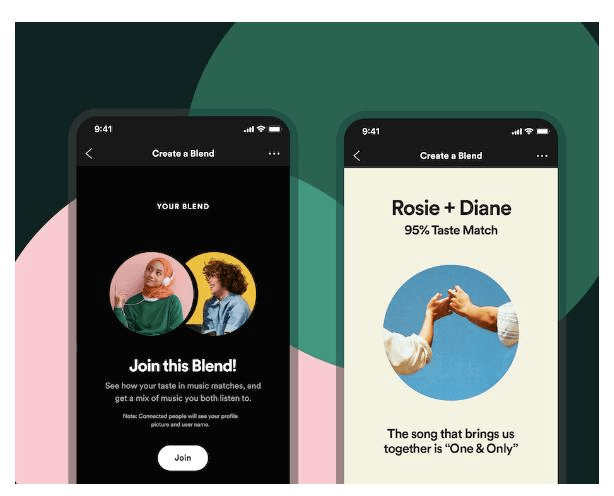
The playlist updates every 24 hours with fresh recommendations, helping users discover new music while still keeping familiar artists and genres in rotation. Spotify also generates a compatibility score that shows how closely your music taste matches your friends.
Blend playlists are located inside the Made for You section of the Spotify app and work for both Free and Premium users.
Key Features of Spotify Blend
| Feature | Description |
|---|---|
| Daily Updates | Playlist refreshes every 24 hours |
| Shared Listening | Multiple users can listen together |
| Compatibility Match | Shows music taste percentage |
| Blend Story | Shareable social card |
| Automatic Recommendations | Spotify builds a playlist automatically |
| Free & Premium Support | No subscription required |
| 50 Recommended Songs | Blend contains up to 50 tracks |
Spotify Blend is especially useful for couples, close friends, roommates, gym partners, and anyone who enjoys discovering music socially. Since Spotify continuously updates the playlist based on listening habits, the recommendations usually improve over time.
Spotify Blend vs Collaborative Playlist
Many users confuse Blend with Spotify Collaborative Playlists, but they work differently.
| Feature | Spotify Blend | Collaborative Playlist |
|---|---|---|
| Playlist Creation | Automatic | Manual |
| Updates | Daily automatic refresh | Users add songs manually |
| Music Source | Spotify algorithm | User-added tracks |
| Compatibility Score | Yes | No |
| Song Discovery | High | Depends on users |
| Playlist Size | 50 songs | Unlimited |
A collaborative playlist gives users complete control over what gets added, while Blend relies on Spotify’s recommendation engine to generate personalized suggestions automatically.
Requirements Before Creating a Spotify Blend
Before setting up your first Blend playlist, there are a few things you need to know. Spotify Blend works on both Free and Premium accounts, so you do not need a paid subscription to use the feature. However, the setup process currently works best through the Spotify mobile app on Android or iPhone.
You and your friend both need active Spotify accounts, and your friend must accept the invitation link before the Blend becomes active. Spotify also recommends using the latest version of the app because outdated versions may not display the Blend feature correctly.
At the moment, Blend creation is limited to mobile devices, which means you cannot create a new Blend from the desktop app. You can still listen to an existing Blend on a desktop later.
There are also a few important limitations:
How to Create a Spotify Blend Playlist
Creating a Spotify Blend playlist only takes a few minutes. Once created, Spotify automatically refreshes the playlist every day with updated recommendations based on everyone’s listening activity.
Step 1: Open the Spotify App
Launch the Spotify mobile app on your Android phone or iPhone and make sure you are logged into the correct account.
Step 2: Tap the Search Icon
At the bottom of the screen, tap the magnifying glass icon labeled Search.
Step 3: Open “Made for You”
Scroll down until you find the Made for You section. This is where Spotify stores personalized playlists and recommendation features.
Step 4: Tap the Blend Card
Inside the Made for You section, look for the Blend tile and open it.
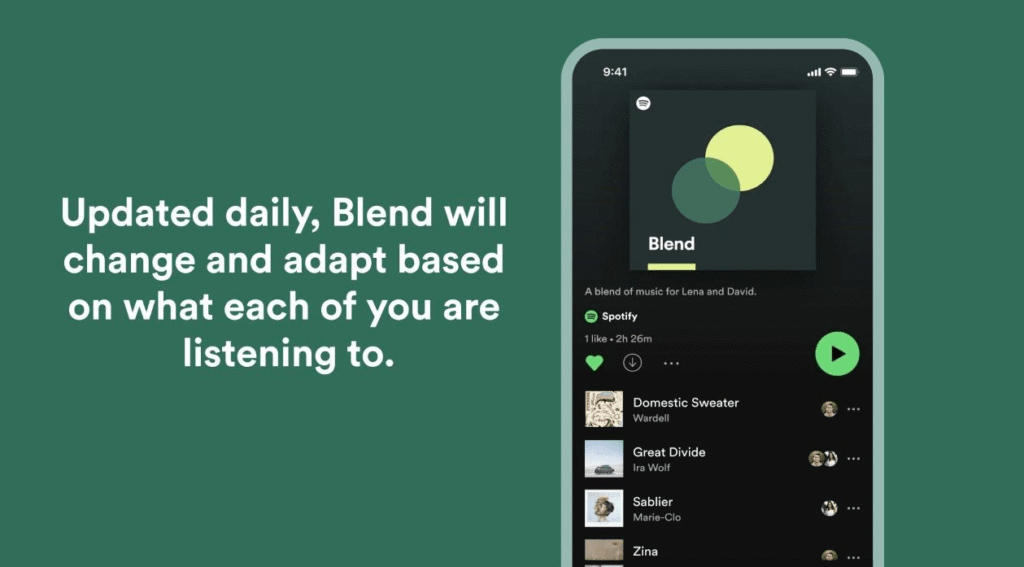
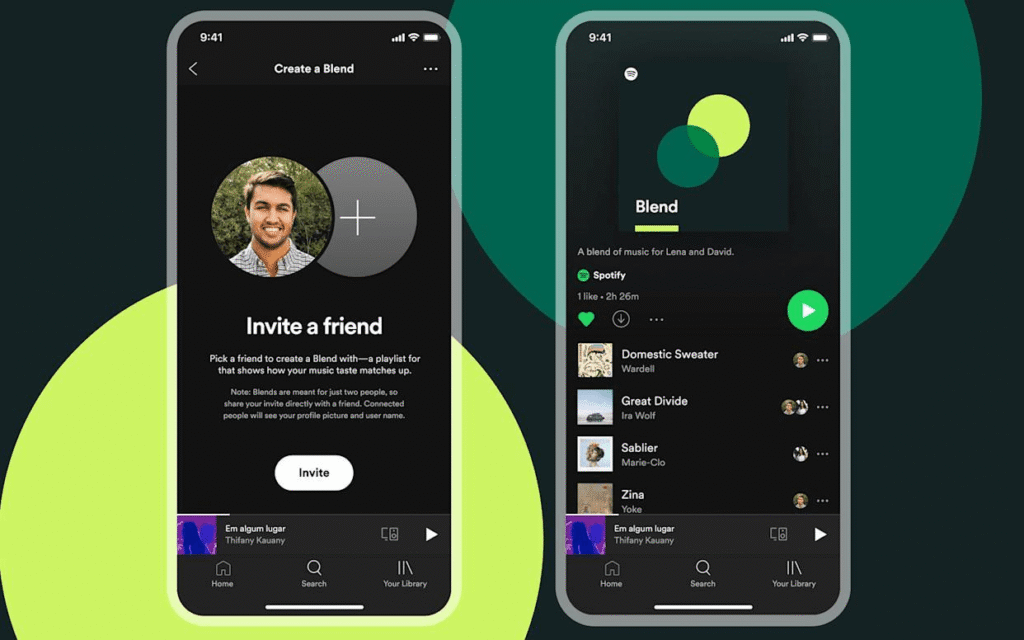
Step 5: Tap “Create a Blend”
Spotify will generate a preview playlist using your current listening habits.
Step 6: Invite Your Friend
Tap the Invite button at the top of the screen. You can copy the invite link or share it directly through apps like WhatsApp, Instagram, Messenger, or text message.
Step 7: Friend Accepts the Invite
Once your friend opens the link and taps Join Blend, Spotify combines both users’ music tastes into one playlist.
After joining:
How to Add More Friends to Spotify Blend
Spotify allows up to 10 people inside one Blend playlist. If you want to expand the playlist to include more friends, you can invite additional members from the existing Blend.
To do this:
- Open your Blend playlist
- Tap the three-dot menu
- Select Invite Friends
- Share the new invite link
- Repeat until you reach the 10-person limit
Adding more users changes the playlist recommendations because Spotify starts analyzing everyone’s listening patterns together.
How to Join Someone Else’s Spotify Blend
Joining a Spotify Blend is simple because the process works entirely through invitation links.
When someone sends you a Blend invite:
- Tap the invitation link
- Spotify opens automatically
- Log in to your Spotify account if necessary
- Tap Join Blend
- Wait for Spotify to generate the shared playlist
Once you join, Spotify immediately starts combining your listening data with the existing members. Over the next 24 hours, the playlist refreshes with updated recommendations that reflect everyone’s music preferences.
If the invite link does not work, the most common reason is expiration. Spotify Blend links typically expire after 30 days, so your friend may need to generate a new invite.
Where to Find Spotify Blend Later
After creating or joining a Blend, many users struggle to locate it again later. Fortunately, Spotify stores Blend playlists in multiple places.
The easiest method is checking the Home tab, where Spotify often displays Blend recommendations near the top of the feed.
You can also find Blend by:
Most Blend playlists follow a naming structure like:
Blend: You + Friend’s Name
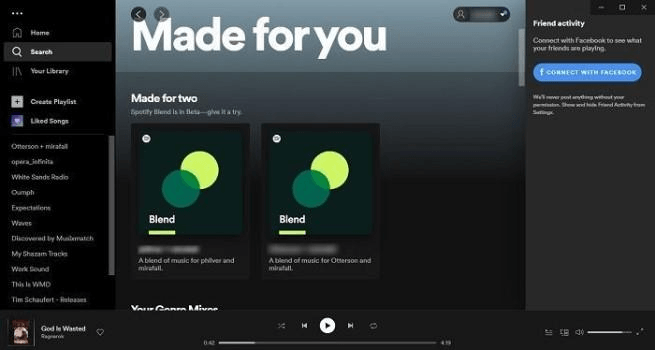
If you participate in multiple Blends, searching for the word “Blend” is usually the fastest method.
Spotify Blend Limits and Rules
Spotify Blend includes several important limits that users should understand before building large shared playlists.
| Limit Type | Maximum Allowed |
|---|---|
| Friends Per Blend | 10 |
| Songs Per Blend | 50 |
| Invite Link Duration | 30 Days |
| Total Blend Memberships | 40 |
| Playlist Refresh Rate | Once Daily |
Spotify automatically updates Blend playlists every 24 hours based on everyone’s listening activity. If you begin listening to a new artist frequently, Blend may start recommending similar songs within a day.
There are also some restrictions. You cannot manually add tracks, remove individual songs, or make the playlist private. Blend is designed to remain fully algorithm-driven.
Premium users can download Blend playlists for offline listening, while Free users can only stream online.
Common Spotify Blend Problems and Fixes
Spotify Blend usually works smoothly, but occasional bugs or sync issues can happen. Most problems are caused by outdated apps, expired invite links, or account sync issues.
Blend Not Showing Up
If your Blend disappeared:
Sometimes Spotify temporarily removes inactive recommendation cards from the Home screen.
Blend Not Updating Daily
Blend refreshes every 24 hours, but inactivity may delay updates. Opening the playlist regularly helps Spotify refresh recommendations faster.
If updates appear stuck:
- Force-close Spotify
- Reopen the app
- Open the Blend playlist
- Wait several minutes
Invite Link Not Working
Expired links are the most common issue. Since Spotify Blend links expire after 30 days, ask your friend to create and send a fresh invitation link.
Cannot Create Blend
Usually caused by:
Updating the app from the App Store or Google Play Store usually fixes the issue quickly.
Tips to Improve Your Spotify Blend Recommendations
Spotify Blend becomes smarter as Spotify learns more about your listening behavior. The more consistently you use Spotify, the better your shared playlist recommendations become.
One of the best ways to improve Blend quality is by liking songs you genuinely enjoy. This helps Spotify understand your preferences faster. You can also hide unwanted songs to reduce similar recommendations in future updates.
Many users also create separate Blends for different situations. For example, you might have:
Creating specialized Blends often produces more accurate recommendations because Spotify can better identify listening patterns within each group.
Spotify also allows users to share Blend Stories directly to Instagram Stories and other social media platforms, making it easy to compare compatibility scores and favorite artists with friends.
Conclusion
Spotify Blend is one of the platform’s best social music features because it combines personalized recommendations with shared listening experiences. Instead of manually building playlists, Spotify automatically merges music tastes from multiple users and refreshes recommendations daily.
Creating a Blend only takes a few minutes:
Search → Made for You → Blend → Create a Blend → Invite Friends.
Whether you want to discover new artists, create playlists for trips, build a workout mix, or compare music compatibility with friends, Spotify Blend offers a simple and enjoyable way to share music.
If you run into issues like expired invite links or Blend not updating, updating the app or signing out and back into Spotify usually resolves the problem quickly.
Can multiple friends join one Blend?
Yes. Spotify allows up to 10 people inside one Blend playlist.
How often does Spotify Blend update?
Blend refreshes every 24 hours with new personalized recommendations.
Can I remove someone from Blend?
Spotify currently does not allow direct member removal. The easiest solution is creating a new Blend playlist with different members.
How long do Spotify Blend invite links last?
Spotify Blend invitation links typically expire after 30 days.